


FindMe - Location Share
4.2320.00 Reviews
App Specs
- Version
- 1.0.44
- Updated On
- License
- Free
- Downloads
- 1,000,000+
- Developer
- Bersamakitta
- Categories
- Maps & Navigation
- Platform
- Android
Screenshots
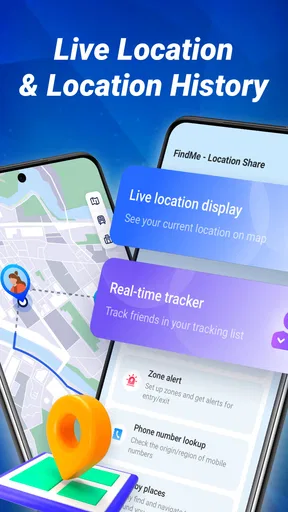
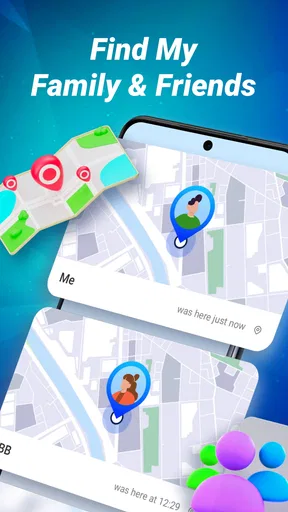
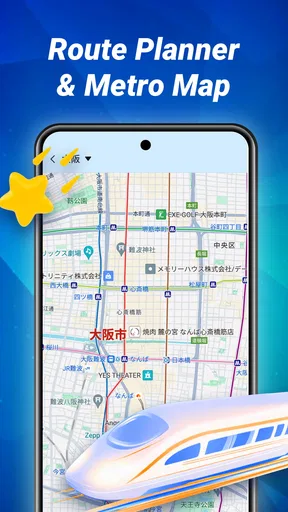
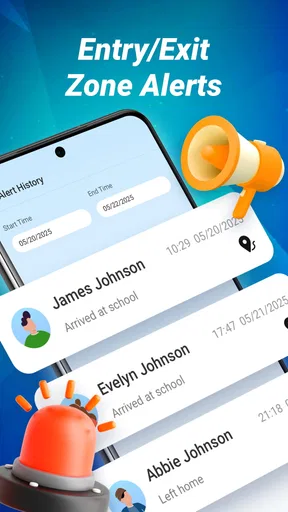
 Analysis by AppCompare
When I consider a location-sharing app, I care less about a map looking busy and more about whether it helps people coordinate without turning every outing into a stream of messages. FindMe - Location Share is aimed at that practical middle ground: sharing where you are with people you know, then using that shared view to make a meetup or check-in easier. I’d treat it as a companion for agreed, everyday coordination rather than a substitute for calling someone when a plan changes or a situation becomes urgent.
What speed can you reasonably expect?
Location sharing depends on more than the app: the phone needs a location fix, the device must be able to communicate, and the person viewing the map needs a usable connection too. So I wouldn’t judge FindMe by expecting every marker to move instantly. In ordinary use, the useful question is whether it gives the group enough current information to avoid repeated “where are you?” messages. If someone’s position seems stale, a quick call or text is a better next step than assuming the map is exact.
That distinction matters in a crowded station or a large venue, where two people can be near each other on a map yet still need to agree on a clear meeting point. I’d share a landmark or entrance in the chat as well as a location, rather than asking a friend to identify me from a moving marker alone. The app can make coordination simpler, but a map pin is not a complete description of the situation on the ground.
When several people are relying on it
Family outings and group trips are the moments when a locator can feel most useful and most demanding. If everyone is checking positions while moving between places, keep the group focused on a purpose: meeting after an event, finding the people who took a different route, or confirming that someone has arrived. That is more manageable than treating the map as a live activity feed all day. It also gives each person a clearer reason to share their location.
For a realistic example, imagine a family leaving a busy weekend event through different exits. A shared view can help the person waiting near the car see which way relatives are heading, while a short message naming the car park section prevents everyone from circling around. If one phone runs low or a person stops sharing, the plan should still work: choose a fixed meeting point and agree to call there. I’d use the location view to reduce uncertainty, not make the whole plan depend on it.
Reliability means having a fallback
A location-sharing tool is only dependable when the people in the group have set it up and understand what they are sharing. Before relying on it for a trip, I’d test the basic routine with the intended contacts: share a location, check that the other person can view it, and make sure everyone knows how to stop sharing when the plan is over. That small rehearsal catches confusion at a calm moment instead of at a crowded pickup point.
It is also worth agreeing on expectations. A moving map can prompt unnecessary worry if someone takes a different route, pauses indoors, or has a phone that cannot update its position. I would not use a dot on a screen as proof that someone is safe, nor assume that a gap means something is wrong. For urgent concerns, a direct call and local emergency services are more appropriate than waiting for an app update.
Worth Reading Before You Choose

EA SPORTS FC Mobile 26 Is a Bigger Football Game, but It Takes Time

Flipboard Shows What News Apps Must Do Beyond the Feed

Switching to Android Auto Means Rethinking Your Driving Routine

Google Calendar Makes a Crowded Week Easier to Manage

Ludo King Makes the Most of the Minutes Between Plans

Baby Panda World Brings Quick Play to Modern Phones, but Its Game Library Feels Busy
Battery, permissions and device constraints
Any app that relies on a phone’s location can be affected by device settings, signal conditions and battery management. The safest practical approach is to check that location access is enabled as needed and to review the phone’s own battery restrictions if updates seem unreliable. I would also avoid leaving location sharing running without a reason, especially during a long day away from a charger. That is a sensible habit for any locator, rather than a promise about how much power this particular app will use.
FindMe is listed as free, with an Everyone age rating, and its current version is 1.0.36. It was released on May 28, 2025, and requires Android 7.0 or later. Bersamakitta is the developer. Those details make it easier to judge whether the Android version fits an older device, but compatibility alone does not guarantee the same experience on every phone; manufacturers can handle background activity differently. The app is also described for Android and iOS, which is useful when a group owns a mix of phones, though each person should check that the version available to them supports the routine they intend to use.
Who benefits most, and who may prefer another option?
I see the strongest case for FindMe among people who already have a reason to share locations with a small, familiar circle: relatives arranging pickups, friends navigating a day out, or a group trying to reunite after splitting up. It can be more convenient than sending repeated location screenshots because the purpose is ongoing coordination rather than a single pin. A useful habit is to create a clear, temporary reason for sharing and to end the session when the outing is finished, instead of letting convenience turn into default monitoring.
If you only need to send one meeting point, the map or messaging app you already use may be simpler. If you need turn-by-turn directions, choose a navigation app built around routes. And if your family already uses a shared ecosystem with location tools, adopting another service may add setup and notification friction without solving a new problem. FindMe is most appealing when its specific sharing workflow is something your group will actually use, not merely another app everyone is asked to install.
What is FindMe - Location Share All About?
Okay, picture this: you’re meeting up with friends, but everyone’s notoriously late or lost. FindMe - Location Share swoops in to save the day! This app allows you to share your location in real-time with your contacts. It’s not just about tracking; it’s about making sure everyone’s safe and on the same page. Plus, it’s available on both Android and iOS, so no one’s left out.
User-Friendly Interface
Right off the bat, the interface is super intuitive. You don’t need to be a tech wizard to figure it out. Everything’s laid out nicely, and the design feels modern and sleek. The home screen gives you quick access to your location-sharing options, and with just a tap, you can decide who gets to see where you are.
One of the features I absolutely love is the "Share My Location" button. You can send your current location to anyone in your contacts, and they’ll get a link to view it on their map. It’s really straightforward, and you can even set a timer for how long they can see your location. Talk about privacy first!
A Safety Net for Everyone
Another cool feature is the ability to create groups. Whether it’s for your family, your hiking buddies, or your coworkers during a conference, you can have separate groups where everyone can share their locations. It’s perfect for keeping track of everyone during events or trips.
Now, if you’re worried about battery life, the app’s got you covered. It’s optimized to use minimal power, so you won’t find yourself stranded with a dead phone. I’ve personally used it for a full day without noticing any significant battery drain.
Privacy and Control
Let’s talk privacy, because I know that’s on everyone’s mind. Thankfully, FindMe gives you full control over who sees your location and when. You can easily toggle your visibility, and there’s even a panic button feature that shares your location and an alert message to selected contacts if you’re in an emergency. It’s like having an extra layer of security in your pocket.
The app also doesn’t store your location history, which means there’s no data mining happening in the background. You’re the only one who decides what to share and with whom. It’s refreshing to see an app that prioritizes user privacy like this.
Final Thoughts
So, what’s the verdict? If you’re someone who likes to keep tabs on friends and family or just wants a reliable way to share your location without hassle, FindMe is absolutely worth checking out. It’s practical, user-friendly, and most importantly, it respects your privacy.
Whether you’re coordinating a night out or ensuring everyone gets to the family gathering safely, this app can make things a whole lot easier. Plus, with its cross-platform availability, you can connect with almost anyone. So go ahead, give it a whirl, and see how it fits into your life. I’m pretty sure you’ll wonder how you ever managed without it!
My performance verdict
FindMe has an average rating of 3.7 from around 3,500 ratings, with 279 written reviews and over 1 million installs. That gives a prospective user a useful sense of its reach, but popularity does not tell me whether a location update will arrive at the exact moment I need it. I’d approach it as a practical convenience for ordinary coordination, while keeping a fallback plan for time-sensitive meetups.
My main advice is to make the sharing arrangement explicit: decide who is in the group, why location visibility is useful, and when it should end. That keeps the app from becoming a substitute for conversation and makes it easier for everyone to feel comfortable using it. If those boundaries suit your group, FindMe is worth considering; if you need precise navigation, guaranteed emergency communication, or a service your contacts already use, another tool may be the more sensible choice.
Pros
- Easy-to-use interface for quick setup.
- Real-time location updates are accurate.
- Supports group location sharing.
- Customizable privacy settings.
- Low battery consumption.
Cons
- Requires constant internet connection.
- Limited features on free version.
- Occasional GPS inaccuracies.
- No offline mode available.
- Some features require premium upgrade.
FAQs for FindMe - Location Share
What is FindMe - Location Share and how does it work?
FindMe - Location Share is an app designed to help users share their real-time location with friends and family. It functions by using your device's GPS to accurately track your location, which you can then share through a secure link. Users can set sharing durations and customize privacy settings to control who can view their location.
Is FindMe - Location Share safe to use?
Yes, FindMe - Location Share prioritizes user safety by offering secure sharing options. The app uses encryption to protect location data and allows users to set privacy settings, ensuring that only selected contacts can access your location. Additionally, you can stop sharing your location at any time.
Can I use FindMe - Location Share on both Android and iOS devices?
Absolutely! FindMe - Location Share is available for download on both Android and iOS platforms. The app is optimized for each operating system, ensuring a seamless experience whether you're using a smartphone or tablet. You can download it from the Google Play Store or the Apple App Store.
Does FindMe - Location Share require an internet connection to function?
Yes, FindMe - Location Share requires an active internet connection to share your location in real-time. While the GPS tracks your location, the app needs Wi-Fi or mobile data to transmit this information to your selected contacts. Ensure your device is connected to the internet for optimal performance.
How does FindMe - Location Share handle battery usage?
FindMe - Location Share is designed to be efficient with battery usage. While using GPS can be demanding, the app includes features to minimize battery drain. You can manage update intervals and sharing durations to balance location accuracy with battery life, ensuring your device remains functional throughout the day.


